Ivan Shuvalov, Senior Product Designer
TRZ01 ‘Dispatch’

Transport Management System
- Duration
- 3 months
- Year of Work
- 2025
- Team
- TMS Product Team
- Team Composition
- Product Designer Business Analyst Project Manager 3 Engineers
- Role
- Product Designer
- Responsibilities
- Field research + UX architecture + Prioritization logic + Interaction design + Prototype validation
- Context
- A large freight forwarder runs multimodal shipments across CIS and international routes. Dispatchers coordinate drivers, events and exceptions.
- Problem
- Calls, spreadsheets, chats and browser tabs split attention. Dispatchers needed one workspace to identify and resolve urgent shipments.
- Solution
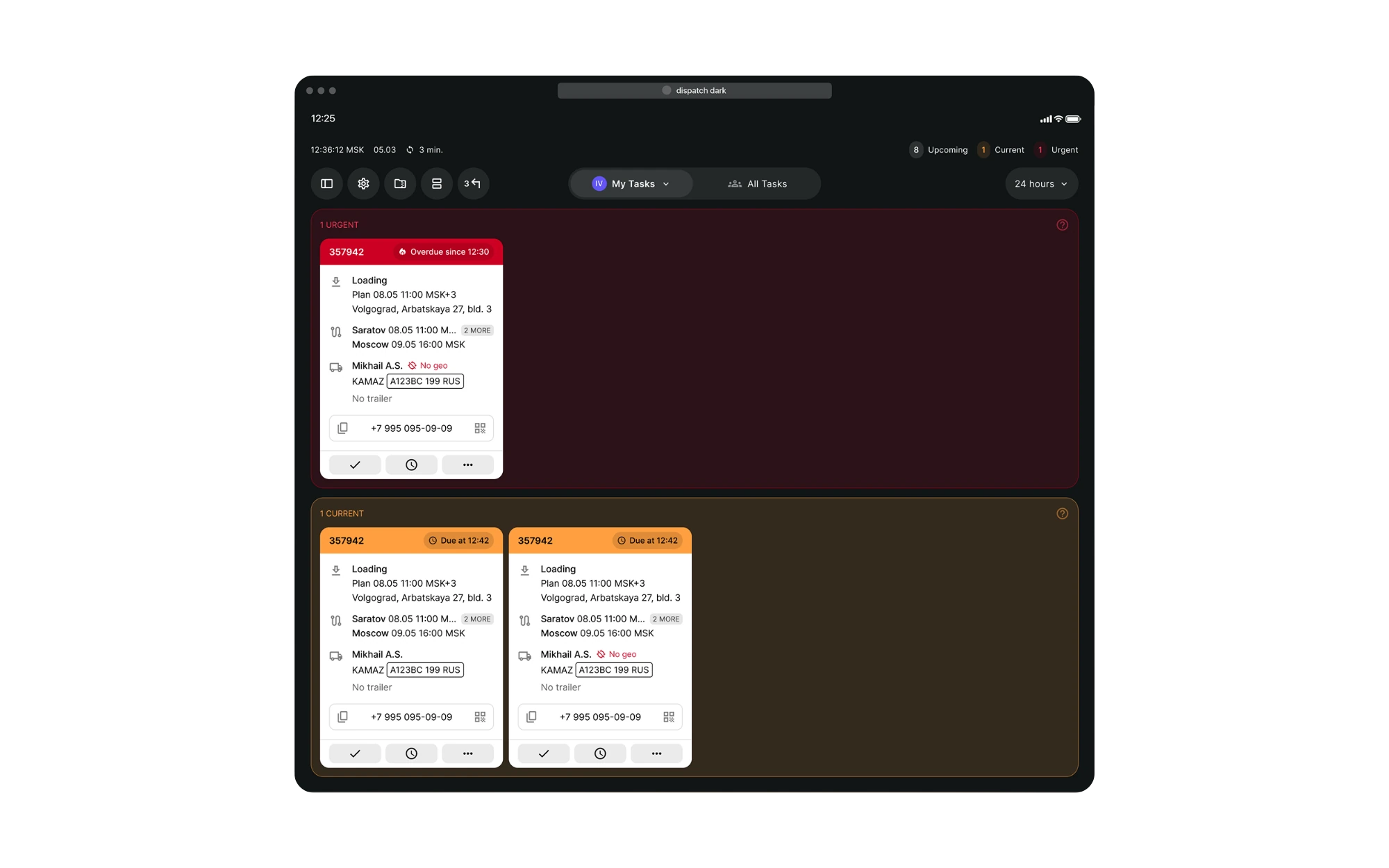
- A relevance-based dispatching workspace inside TMS
- Features
- Urgent / Current / Upcoming board Operational prioritization rules Shipment details on the card Quick calls and status updates Postponement and reassignment Contextual actions
- Result
- An attention-driven workflow focused on 4–5 urgent shipments, instead of scanning the full shipment list.
- Metrics
- +35% shipments per dispatcher hour −10% delayed control events −2% failed / disputed shipments Broader TMS team outcomes Baseline: June 2024 vs June 2025
BNY01 ‘Driver App’

Driver Mobile App
- Duration
- 12 months
- Year of Work
- 2023
- Team
- Biny Product Team
- Team Composition
- Product Designer Product Manager Project Manager Android + Backend
- Role
- Product Designer
- Responsibilities
- Field research + User interviews + Mobile UX + Prototyping + Usability testing + Engineering handoff
- Context
- Biny is a freight-tech platform in Kazakhstan. Drivers relied on calls, paper and WhatsApp, often with weak network coverage.
- Problem
- A confusing MVP, difficult registration and low trust in digital payments made drivers depend on support.
- Solution
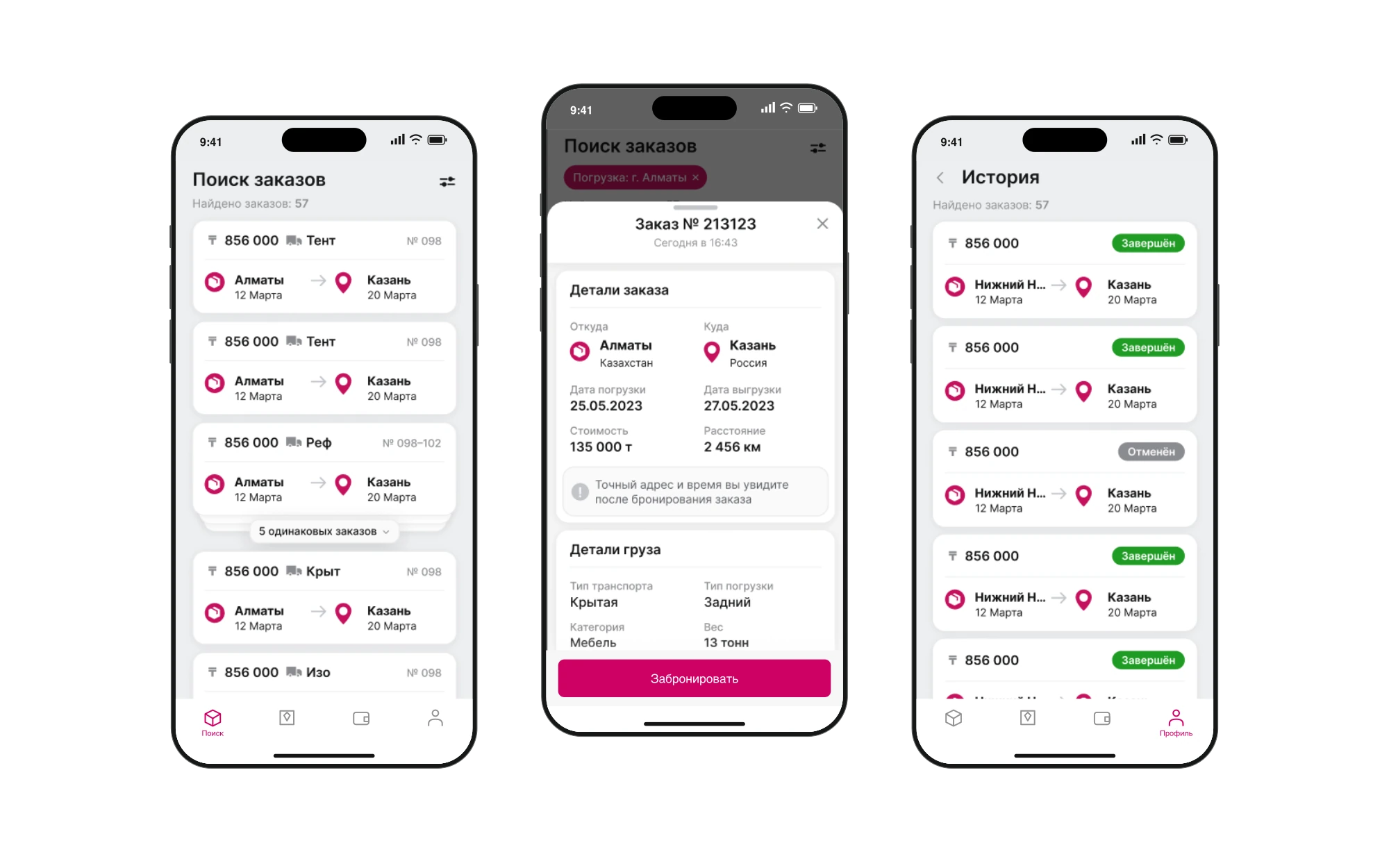
- A clear, guided driver app built around the next action
- Features
- Registration: 12 steps → 4 Document upload and validation Order search and acceptance Clear order status progression Offline order caching Payment status and history
- Result
- Clearer onboarding and daily workflows. Payment trust and card-withdrawal clarity remained an area for improvement.
- Metrics
- Registration completion: 5% → 50% ~10× fewer driver-flow requests 200+ screens designed 20+ iterations over 12 months Before / after release comparison
TN01 ‘Truckly’

Driver community · Mobile app
- Status
- Published · App Store
- Platform
- iPhone
- Audience
- US truck drivers
- Product
- Truckly Network
- Team
- Truckly Network
- Team Composition
- Ivan Shuvalov · UX/UI Designer Product Owner Development Lead Project Manager
- Role
- UX/UI Designer
- Scope
- Navigation architecture + Road alerts + Communities + Live voice rooms
- Context
- Drivers exchange road information and stay connected with their community.
- Problem
- The earlier navigation structure was split across five top-level sections.
- Constraints
- Limited data and unclear business requirements.
- Approach
- I gathered user feedback and clarified business needs, using the evidence to develop and advocate the navigation hypothesis.
- Solution
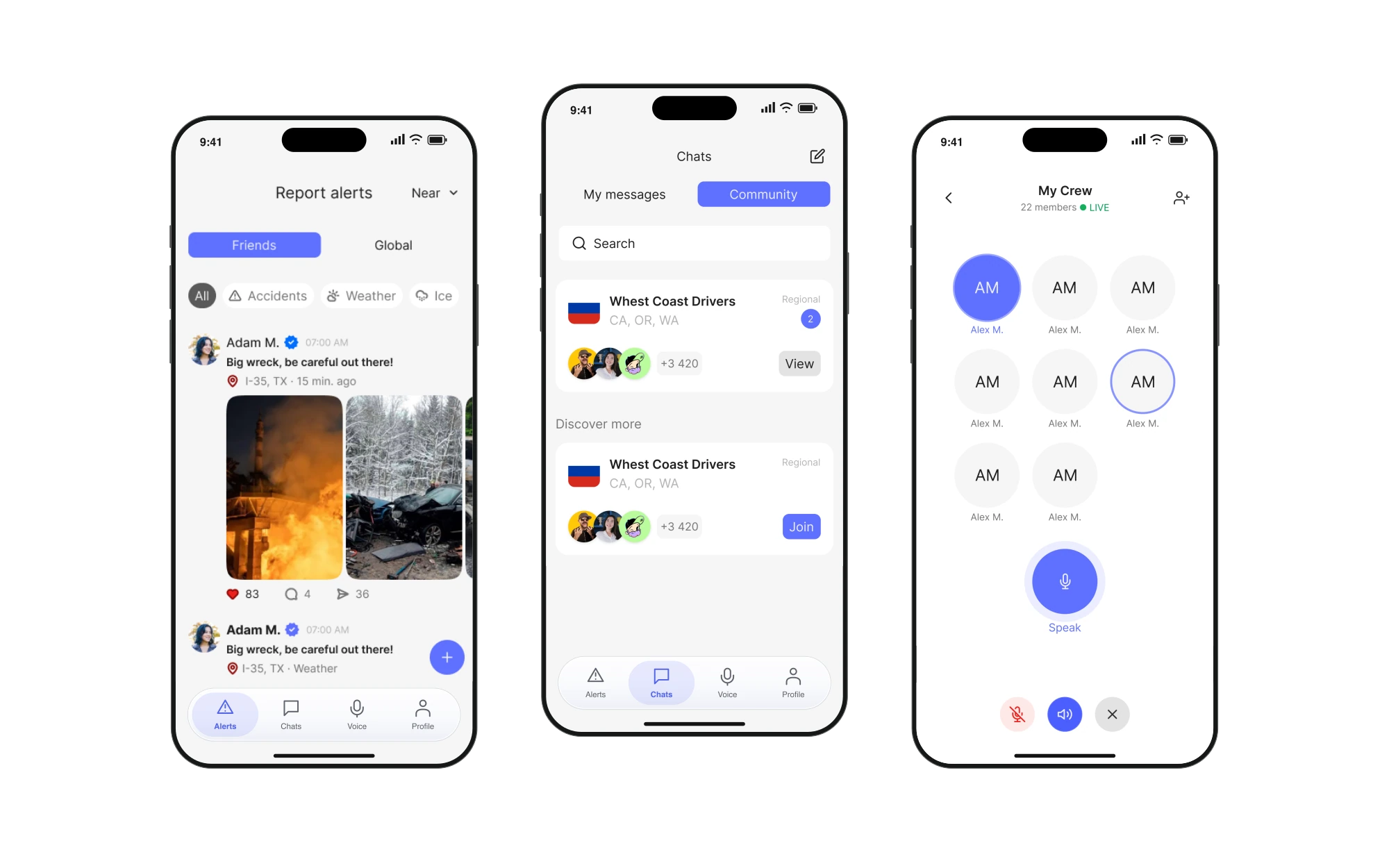
- I reorganised navigation from five sections into four: Alerts, Chats, Voice and Profile.
- Features
- Road alert feed and comments Driver communities and group chats Live voice rooms Driver profiles
- Design Outcome
- A consistent four-section navigation structure for the core driver journeys.
- Validation
- The effect on navigation and task completion has not been measured yet.
IFX01 ‘InstaForex’

Site search · Navigation across a large platform
- Status
- Live · Open search
- Platform
- Desktop web
- Project
- InstaForex web platform
- Contribution
- Site search design
- Role
- UX / UI Designer
- Scope
- Search interface + Content hierarchy + Category navigation
- Context
- A high-traffic international brokerage website with a broad catalogue of content and services.
- Problem
- Visitors need to reach the right section without already knowing the website’s structure or exact terminology.
- Solution
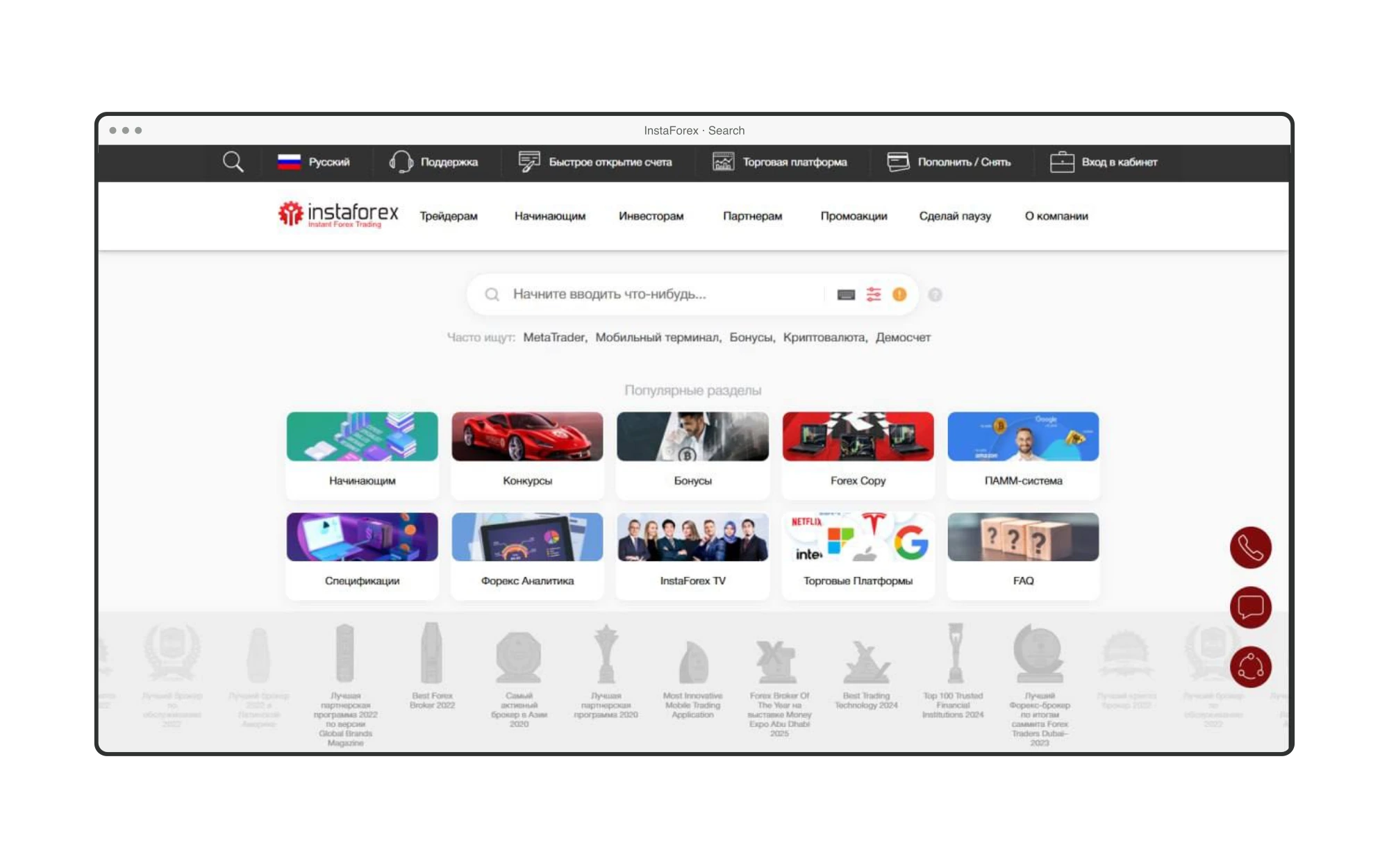
- A search entry point combining direct queries with guided browsing
- Features
- Prominent search field Popular search queries Illustrated category shortcuts Shared global navigation
- Design Outcome
- A published site-search interface that supports navigation across the platform.
- Design Focus
- Clear starting point Recognizable content groups Exploration before typing Direct paths to key sections
OT02 ‘Composer’

iPhone music sequencer
- Status
- In development
- Year of Work
- 2026
- Team
- Independent Product
- Team Composition
- Ivan Shuvalov
- Role
- Product Designer & Developer
- Responsibilities
- Touch interaction + Sequencer UX + Instrument interfaces + Prototyping + Implementation
- Context
- Composing on a phone means editing patterns, choosing sounds and shaping instruments on a compact touch screen.
- Problem
- Desktop-style controls and deep navigation interrupt the path from a musical idea to a playable arrangement.
- Solution
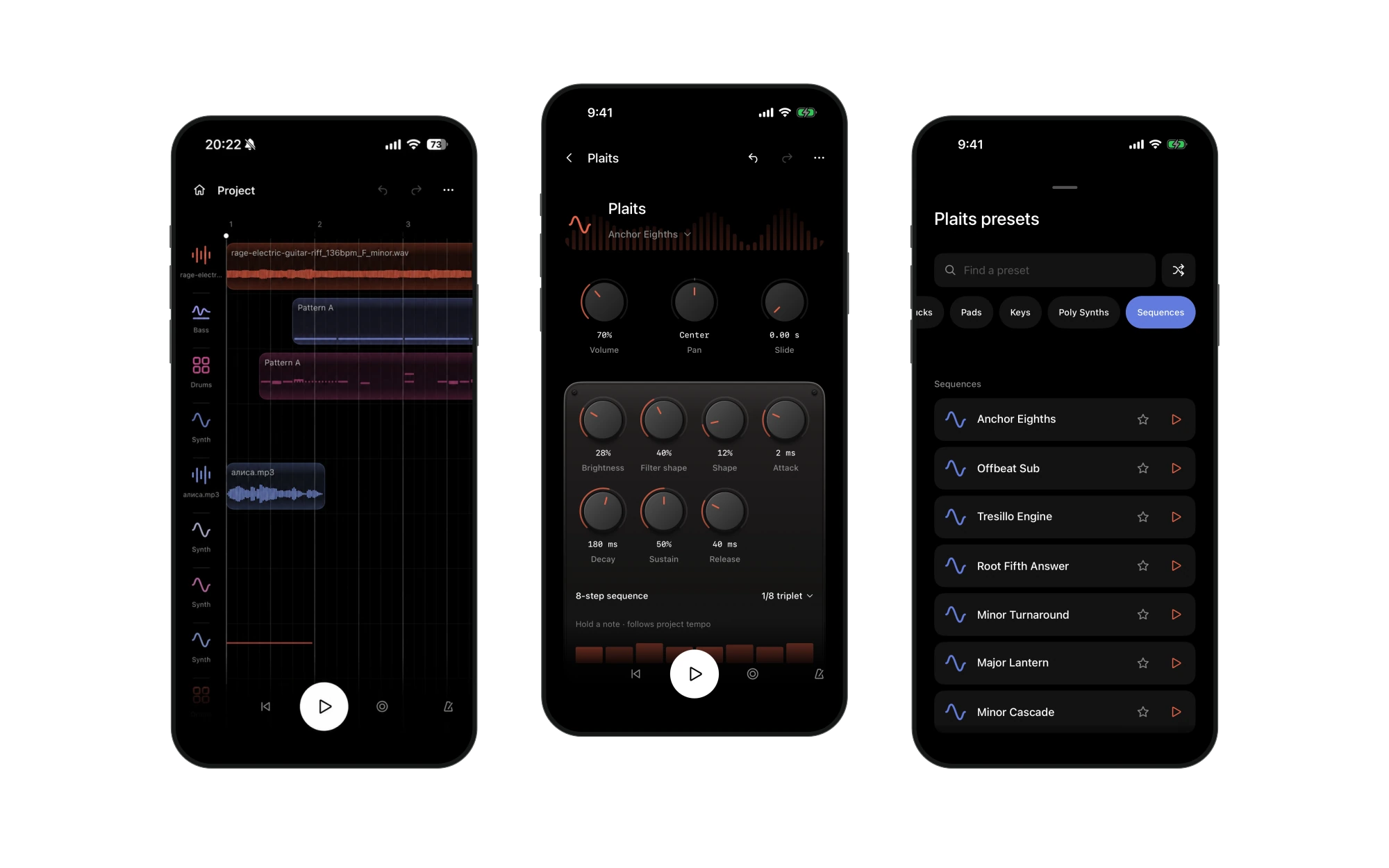
- A touch-first sequencer with instrument and sound-design workspaces
- Features
- Pattern and piano-roll editing Instrument and preset browsing Synthesiser and sample instruments Per-instrument controls and effects Sequence previews and playback
- Result
- A working iPhone app under active development, with editable projects, instruments and preset libraries.
- Design Focus
- Direct note manipulation Controls sized for touch Fast preset discovery Sound design in the instrument context
OT01 ‘Studio’

iPhone recording studio
- Status
- Released · App Store
- Year of Work
- 2026
- Team
- Independent Product
- Team Composition
- Ivan Shuvalov
- Role
- Product Designer & Developer
- Responsibilities
- Product concept + Interaction design + iPhone UI + Prototyping + Implementation
- Context
- A vocal idea often starts with a beat and a phone, away from a desktop studio.
- Problem
- Capturing a take, working with lyrics and preparing a shareable demo should fit into one focused mobile workflow.
- Solution
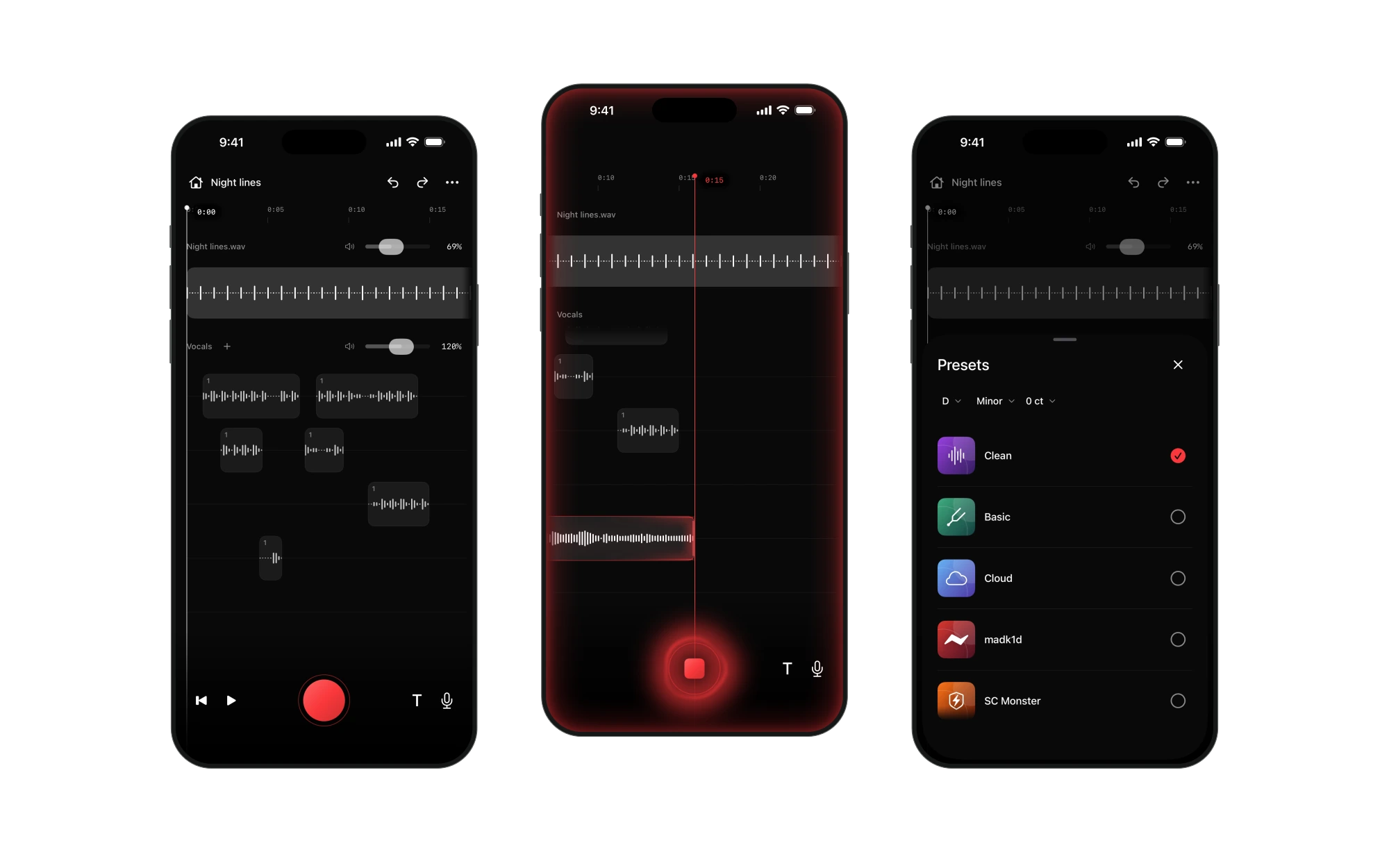
- A local recording and arrangement workspace for iPhone
- Features
- Beat import and vocal recording Clip editing and arrangement Lyrics alongside the recording Vocal presets and effects Mixed demo and aligned track export
- Result
- A released iPhone app that brings recording, editing and sharing into one workflow.
- Product Focus
- Direct timeline editing Recording with lyrics in view On-device audio processing Simple demo and stem export
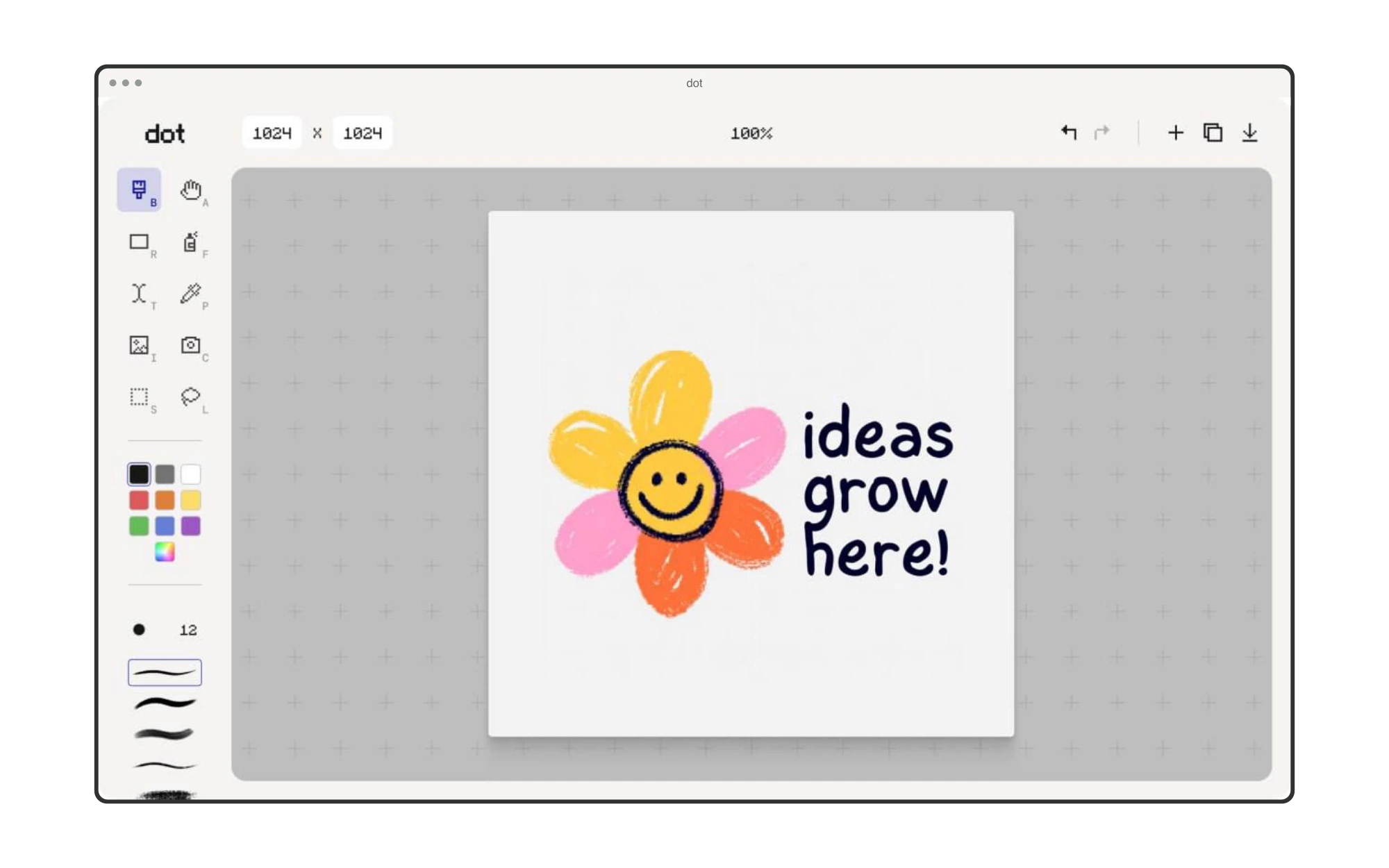
DOT01 ‘dot’

Minimal browser paint · Drawing app
- Status
- Live · Open app
- Platform
- Web
- Product
- Independent project
- Design & Build
- Ivan Shuvalov
- Role
- Product Designer & Developer
- Scope
- Product concept + Interaction design + Drawing UI + Frontend implementation
- Context
- A quick sketch often needs a blank canvas and a few familiar tools.
- Problem
- Starting a simple drawing should take little setup and keep attention on the canvas.
- Solution
- A minimal Paint-like workspace that opens directly in the browser
- Features
- Freehand drawing and shapes Colour palette and brush styles Text and image tools Direct canvas resizing PNG download
- Product Outcome
- A published browser drawing tool with immediate canvas access and no registration step.
- Design Focus
- Canvas-first layout Few visible controls Keyboard shortcuts Simple export
CR01 ‘CityReveal’

City exploration app
- Status
- iPhone prototype
- Year of Work
- 2026
- Team
- Independent Product
- Team Composition
- Ivan Shuvalov
- Role
- Product Designer & Developer
- Responsibilities
- Product concept + Map interaction + Visual themes + Prototyping + Native implementation
- Context
- Walking around a city creates a personal map of familiar streets, landmarks and saved places.
- Problem
- A conventional map shows everything at once and gives little sense of discovery or accumulated exploration.
- Solution
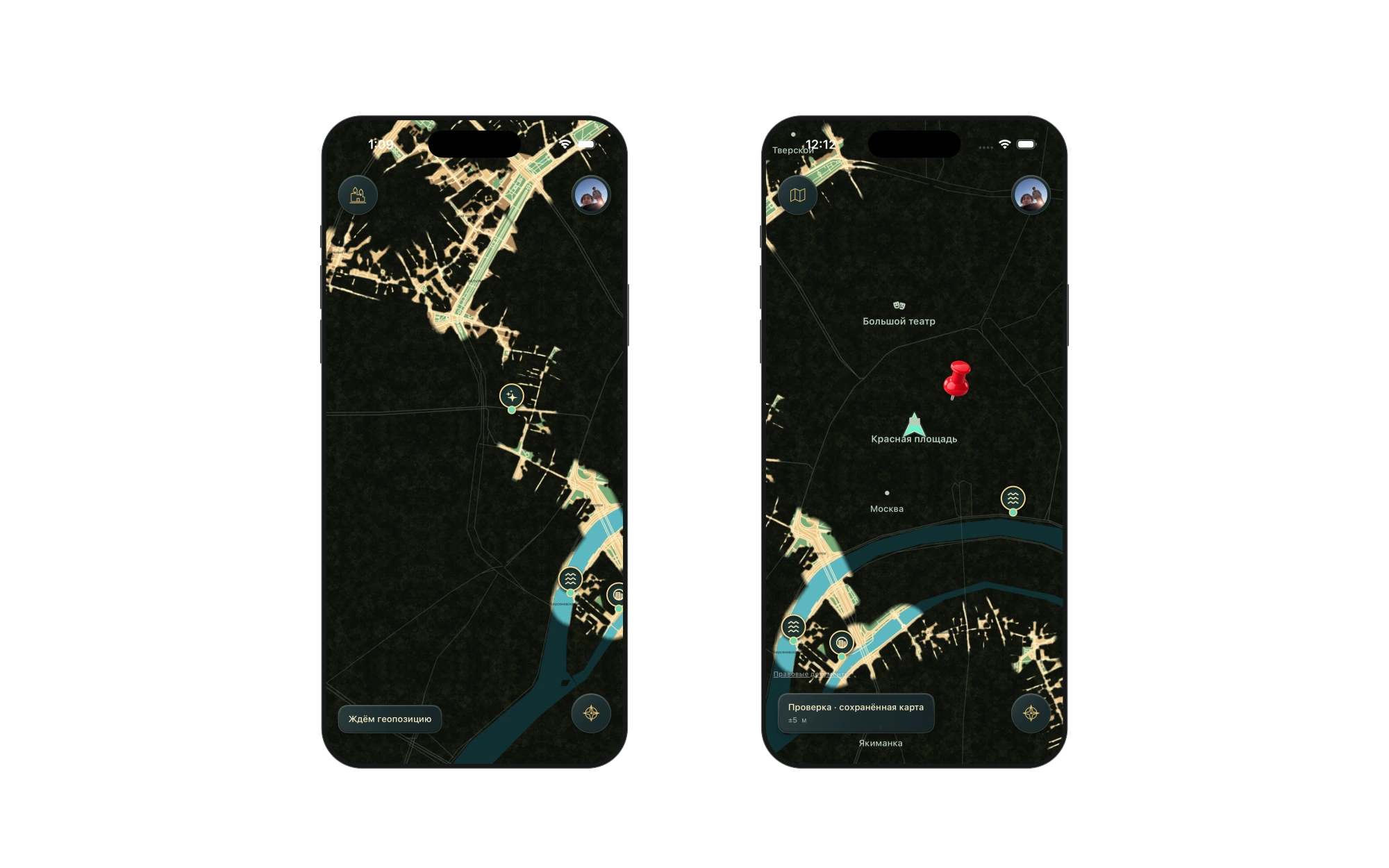
- A city map that gradually reveals the places you explore
- Features
- Progressive map reveal Automatic exploration Places and personal notes Light, dark and RPG themes Locally stored exploration progress
- Result
- A native iPhone prototype combining persistent exploration with a map-led interface.
- Design Focus
- A clear sense of discovery Map-first navigation Visible exploration progress Distinct map themes
MWB01 ‘Builder’

Mobile Website Builder
- Duration
- 2 months
- Year of Work
- 2024
- Team
- Independent Project
- Team Composition
- Product Designer Researcher
- Role
- Product Designer & Researcher
- Responsibilities
- Market research + Surveys + Product strategy + Scope definition + Mobile prototyping
- Context
- People create and manage digital products from phones, while website editors still assume a desktop workflow.
- Problem
- Mobile editing demand was visible, but a credible mobile-native website editor was missing. The opportunity needed validation.
- Solution
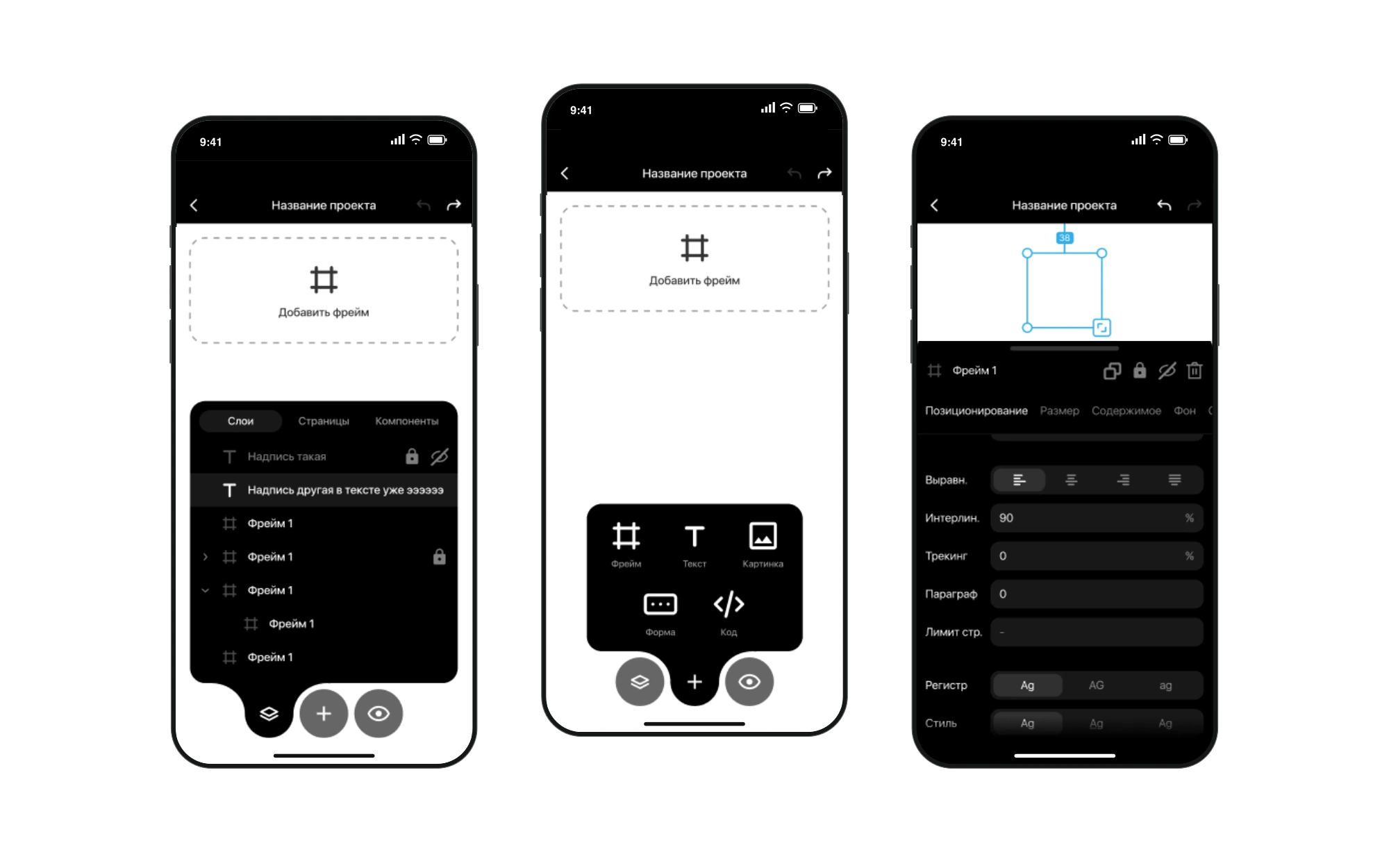
- Research-led validation and a mobile-first editor concept
- Features
- Mobile editing canvas Page and content creation Publishing concept Clear tools and preview Minimal product scope
- Result
- A researched product hypothesis and prototype, rather than a launched product. The concept defined two target segments.
- Research
- ~100 survey responses 5 competitor scenarios reviewed 2 audience segments 30% of professionals need mobile work 21% would pay for a quality solution
MD01 ‘MakeMD’

Markdown workspace · PDF export
- Status
- Live · Open app
- Platform
- Web
- Team
- Independent Product
- Team Composition
- Ivan Shuvalov
- Role
- Product Designer & Developer
- Scope
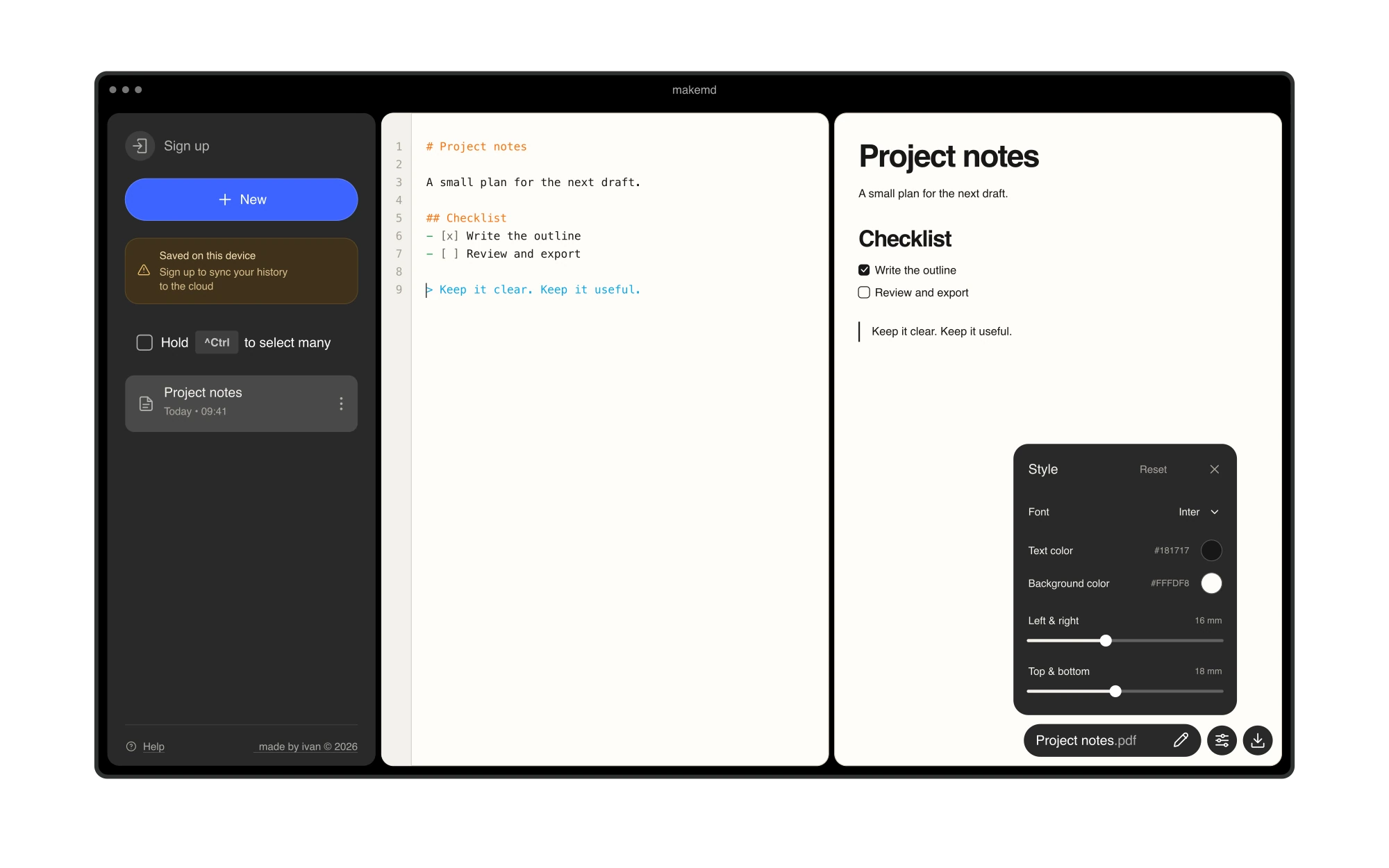
- Editor UX + Live preview + Document management + PDF export
- Context
- Markdown is useful for structured notes, while a finished document often needs a styled PDF.
- Design Focus
- Keep drafting, styling and export in one focused workspace.
- Solution
- A split workspace for writing Markdown alongside its formatted preview
- Features
- Live Markdown preview Typography, colors and page margins Pasted and dropped images PDF export Document history and Favorites
- Result
- A web application that connects drafting, document organization and styled PDF output.
- Product Focus
- Desktop editor and preview Mobile Markdown / Preview views Local draft fallback Account-based document sync