Dispatcher Workspace for TMS
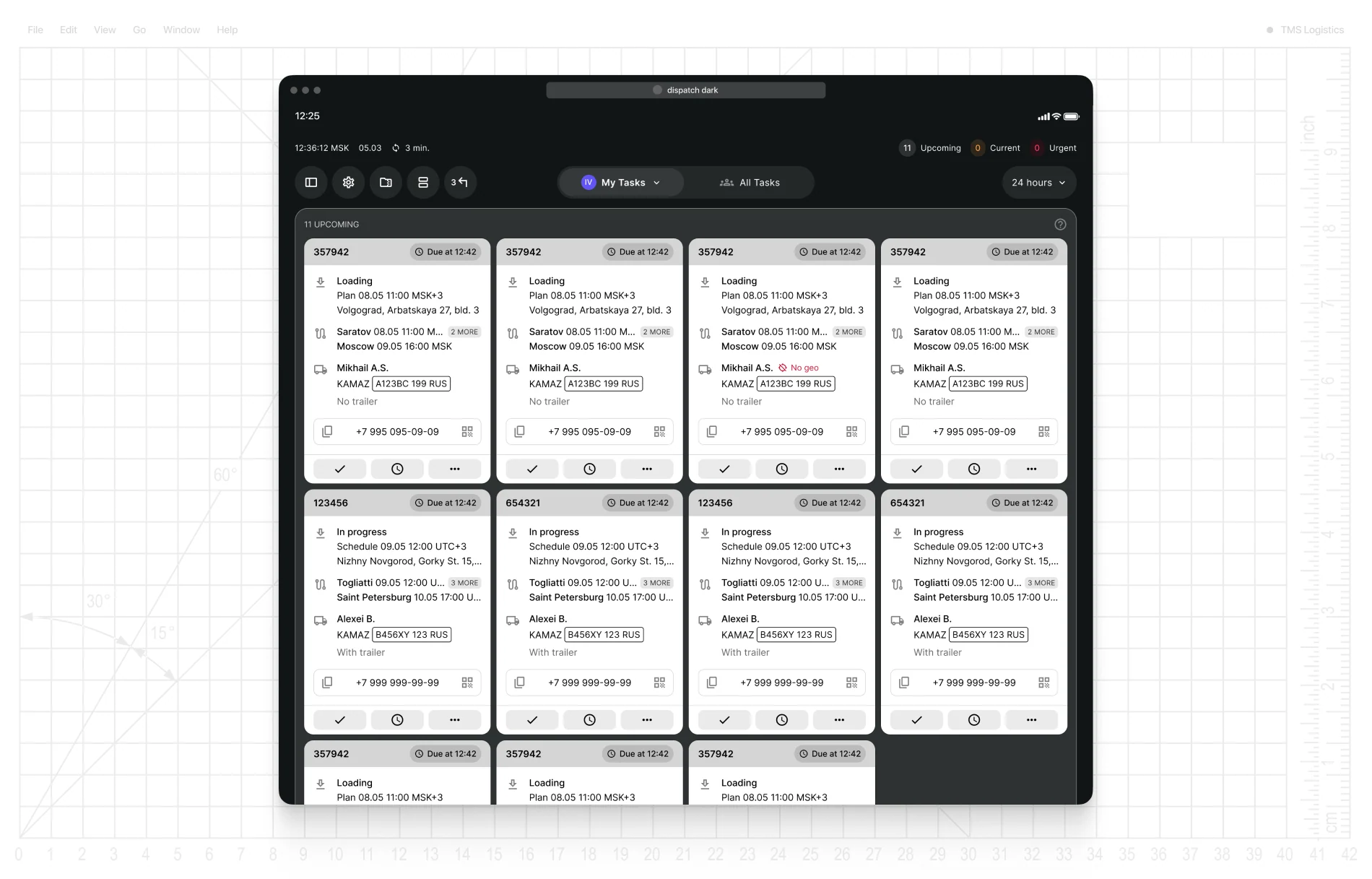
Designed a dispatcher workspace for a high-load logistics TMS, focusing on clarity, speed, and control for teams managing thousands of daily shipments
- Year
- 2025
- Role
- Product Designer
- Client
- Large Freight Forwarder
- Duration
- 3 months
- Team
- Product Designer (Me) · Business Analyst · Project Manager · 3 Engineers
- Topics
- UX Design · Logistics · B2B · TMS · Research
Overview
I designed a dispatcher workspace for a large freight forwarder handling multimodal shipments across CIS and international routes. The company worked with thousands of customers and carriers across multiple offices, but dispatchers still had no proper operational tool. Their workflow was spread across calls, spreadsheets, chats, notes, and many browser tabs, which slowed execution, increased mental load, and made onboarding harder.
Problem. Dispatchers handled multiple tasks simultaneously and had no single convenient tool for solving them, which complicated onboarding and slowed the work process.
Solution. A unified dispatching tool inside TMS.
Team Outcome
- +35% Shipments per dispatcher
- -10% Delays against plan
- -2% Failed shipments
Context
The client was a large freight forwarder with more than 10 billion in revenue, multimodal transportation, owned and contracted fleets, and a large customer and carrier base. Shipment execution required constant coordination between dispatchers, logistics coordinators, drivers, and managers.
Dispatchers sat in the middle of that system. They were responsible for tracking shipment progress, staying in touch with drivers, handling exceptions, updating statuses, and keeping the rest of the team aligned.
A dispatcher's workspace consisted of:
- Two phones
- About a hundred tabs
- Notes and spreadsheets
- Constant contact with colleagues
- Noisy office
Dispatchers communicated and exchanged current statuses with logistics coordinators and managers across multiple channels at the same time: WhatsApp, Telegram, Bitrix, and offline.
The challenge was to focus the dispatcher full attention on urgent shipments and reduce noise everywhere else.
Problem
The contracted transport department always had more workload than anywhere else, especially for dispatchers. While logistics coordinators called carriers, requested transport, and coordinated with clients only at the beginning, dispatchers spent all this time on routine and calls.
That made the work simultaneously complex and critical, because it had to be handled inside TMS while staying fast enough for daily operations.
The main problems were:
- Too many tools
- High cognitive load
- Errors and delays
- Hard onboarding
Research
There was not enough structured documentation about how dispatching actually worked inside the company, so I spent time in the office observing real workflows. I watched how dispatchers interacted with drivers, logistics coordinators, and managers, how they tracked shipment progress, and where they lost focus.
I also spoke with people from other freight forwarding companies to compare approaches and understand which patterns were common across the industry. After that, I ran a questionnaire to validate assumptions and close the remaining gaps.
Subject
Dispatchers are the key to quality shipment execution. The research showed that the dispatcher is the backbone of shipment handling, driver communication, and status updates.
Process
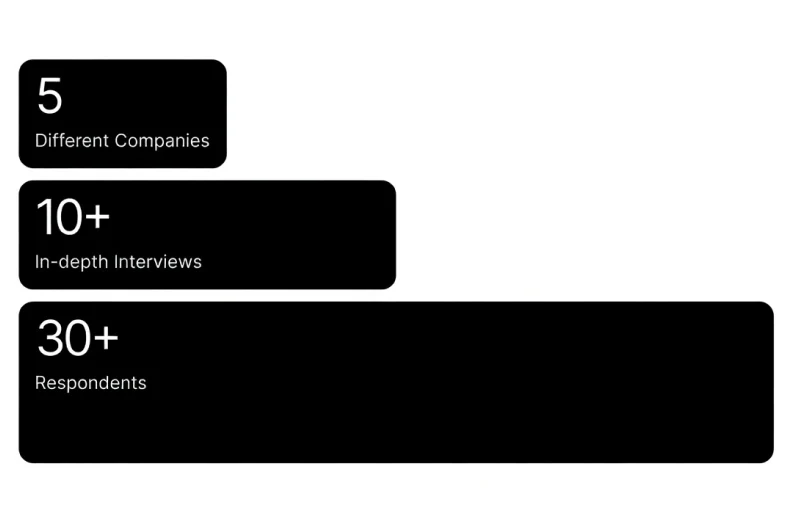
Spent 3 days in the office, observed work and interaction processes, studied staff composition and regulations
Conducted calls with other freight forwarding companies to learn how they structure their dispatching processes
Created and sent a questionnaire to 30 dispatchers and logistics coordinators to validate hypotheses
3 Days in office
10 In-depth interviews
10 Testing sessions
50 Respondents
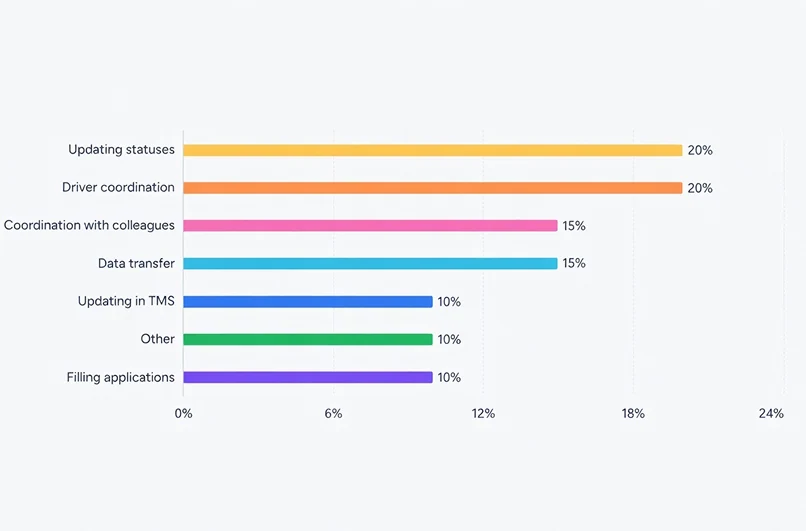
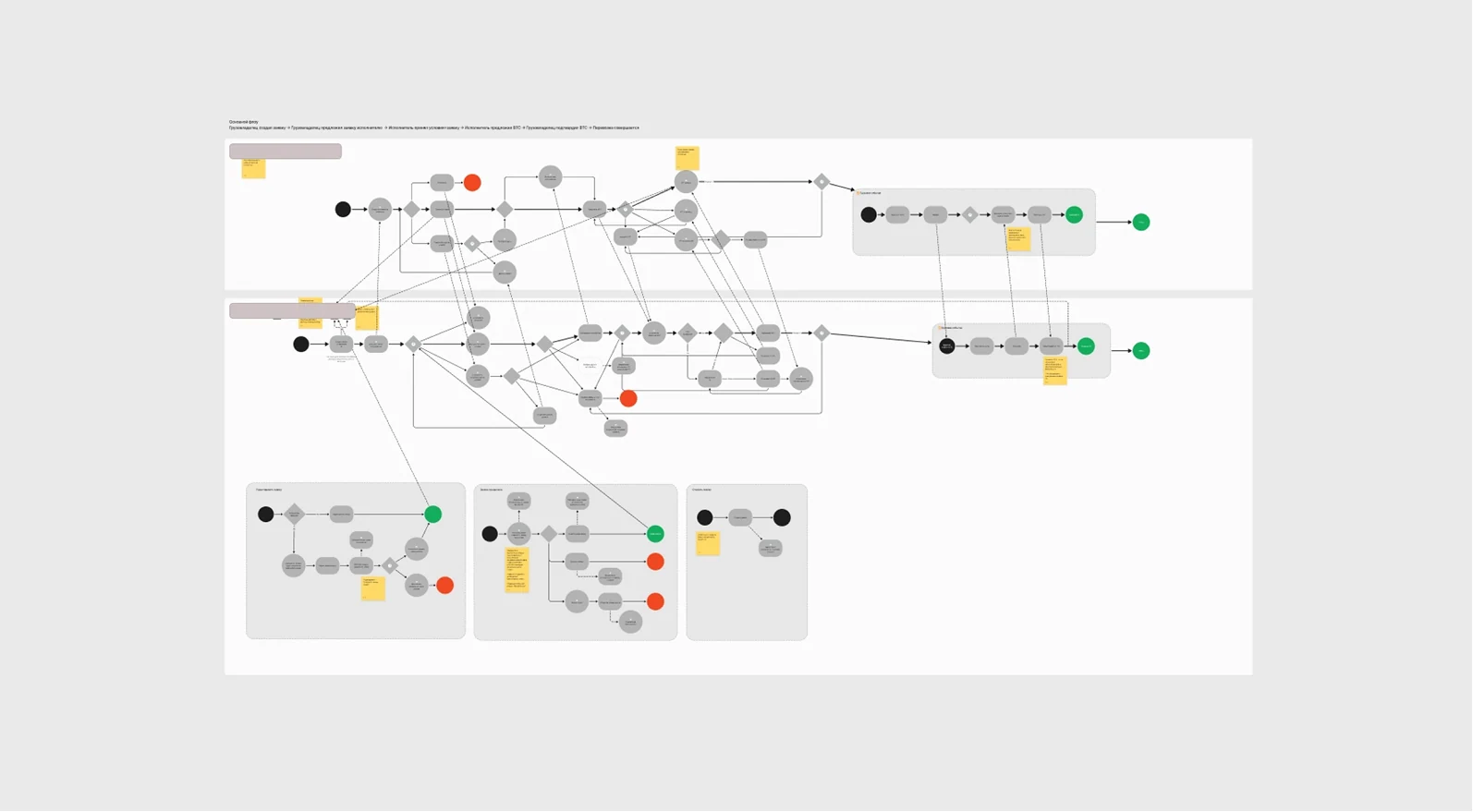
The dispatcher is the backbone of shipment execution, with about 40% of dispatcher time spent on shipment handling, driver communication, and status updates in tracking systems.
Key insight
A dispatcher may deal with up to 50 shipments per day, but at any given moment only a few actually require immediate attention.
In practice, that number was usually around 4 to 5 shipments.
I also found that a large share of dispatcher time went into shipment handling, driver communication, and status updates, so the product had to support prioritization first, not completeness
- Shipment handling and driver communication40% 3.2 hours
- Status updates in systems20% 1.6 hours
- Coordination with logistics15% 1.2 hours
- Crisis management10% 0.8 hours
- Documentation10% 0.8 hours
- Other5% 0.4 hours
Stakeholder challenge
The business expected a dashboard to show as many shipment cards as possible. The logic was simple: if a dispatcher handles up to 50 shipments per day, the interface should show a large part of that workload.
My research showed the opposite. In the office, dispatchers rarely worked with more than 4 to 5 urgent shipments at the same time.
As a result, it became clear that the product should display all necessary information in a card, but no more than 4 cards should be needed at any given moment.
We need to focus all attention on urgent shipments. The rest does not really matter at that moment.
— Senior Logistics Manager
Solution
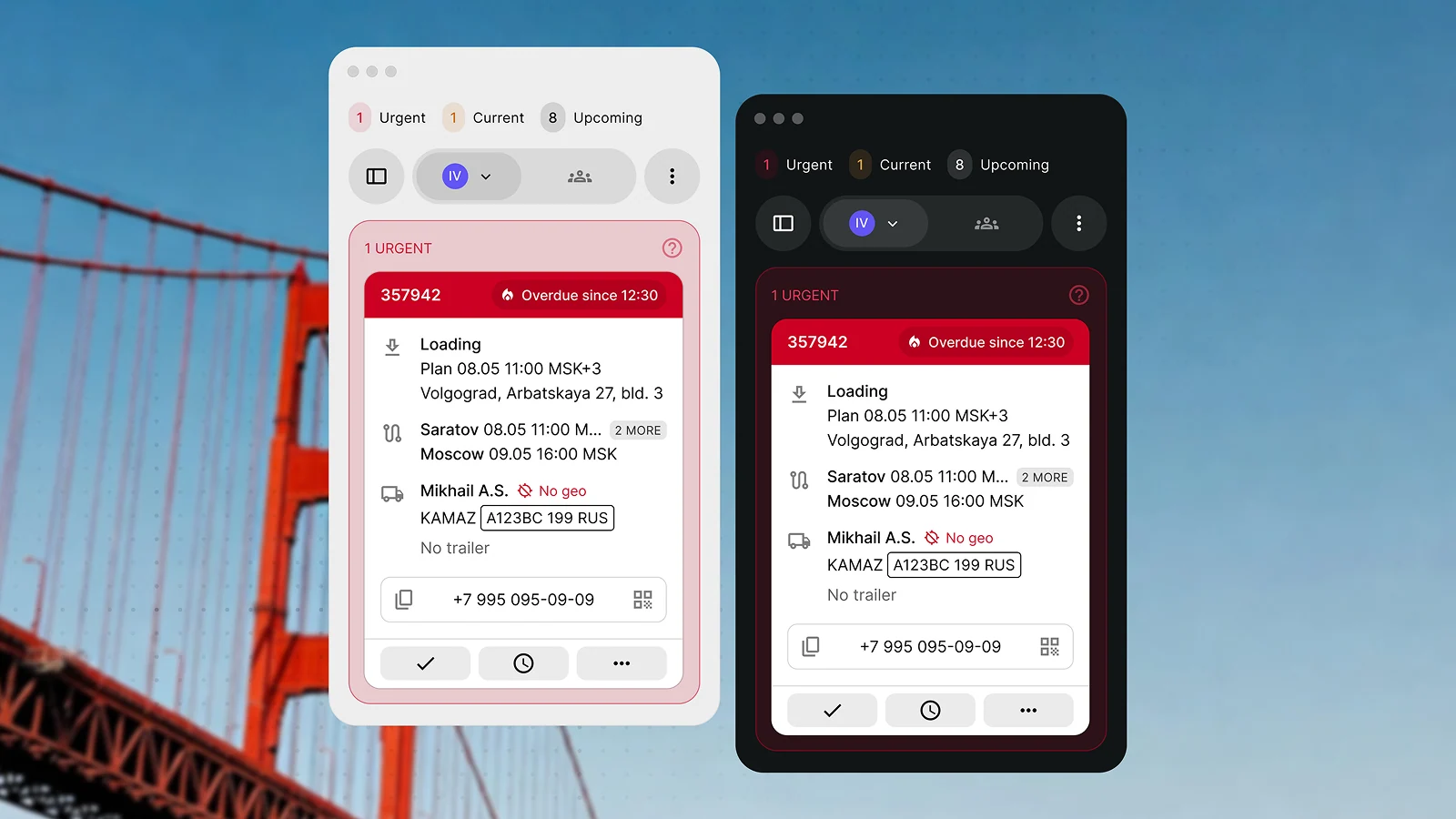
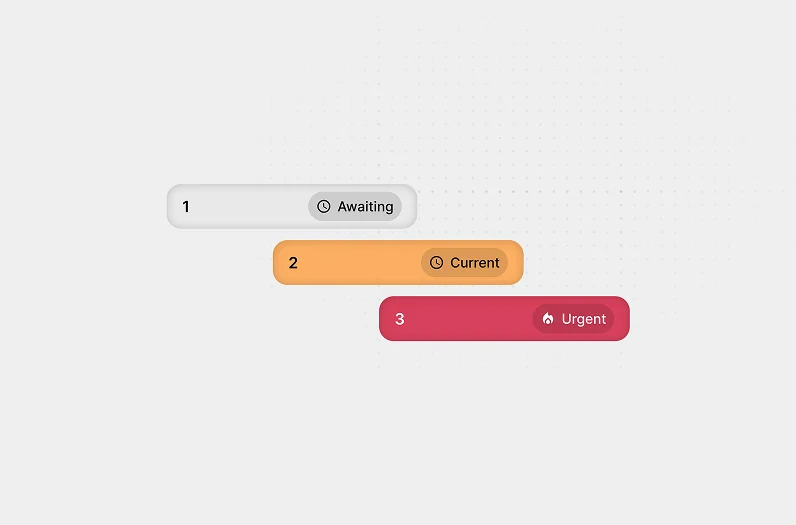
I designed the workspace around relevance, not around the full shipment list. The core interaction model is a vertical board with three levels: Urgent, Current, Upcoming.
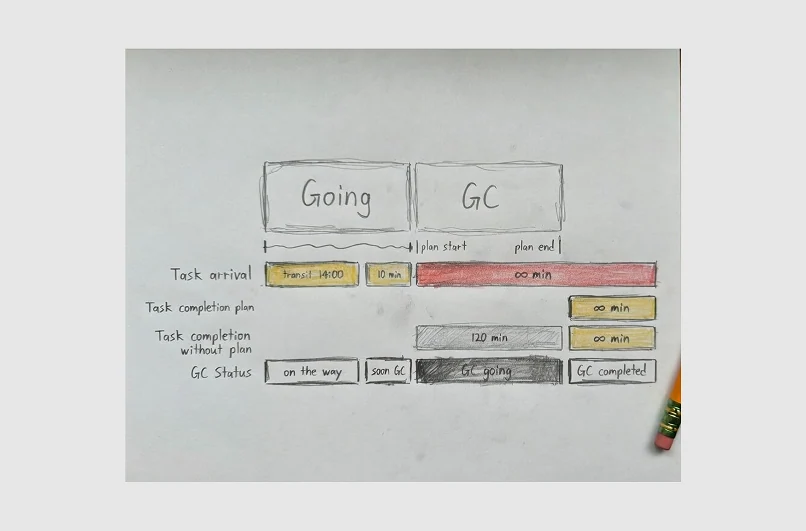
Shipment movement between those levels was grounded in operational rules configured in TMS:
- When the dispatcher should contact the driver
- How long before an event a call is needed
- How often long transits should be checked
- When a shipment becomes overdue or enters an exception state
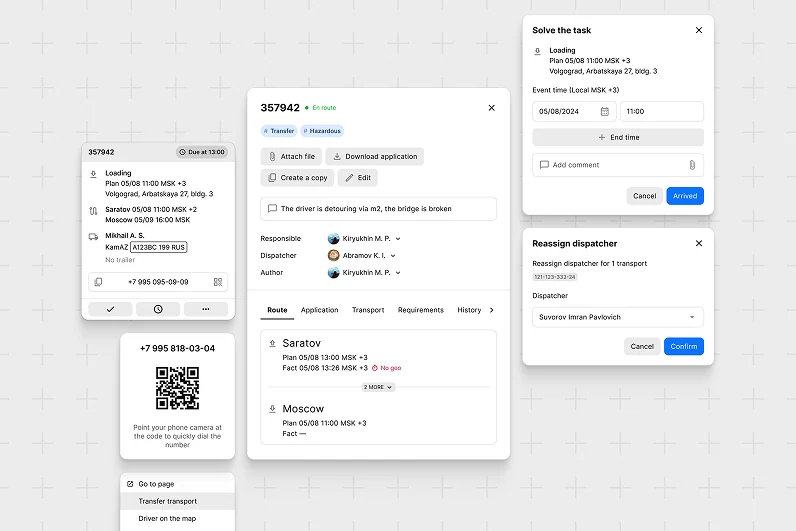
The dispatcher sees the necessary information directly on the card: route, address, cargo event time, driver, and contacts. From there, the main task can be completed without switching to other systems.
| Status | Condition | Visual |
|---|---|---|
| Urgent | An employee missed the cargo event and needs to resolve it urgently | Red card, top of the list |
| Current | The cargo event is current and requires resolution soon | Yellow card, middle of the list |
| Upcoming | The shipment requires no action and is awaiting a cargo event | Gray card, bottom of the list |
Possible dispatcher actions:
- Confirm from the card toolbar
- Postpone from the card footer
- Send to another dispatcher from the context menu
- Copy the phone number from the phone field
- Copy any block in the card by hovering over it
- Scan the QR code for a quick phone call
- Open detailed shipment info from the shipment number
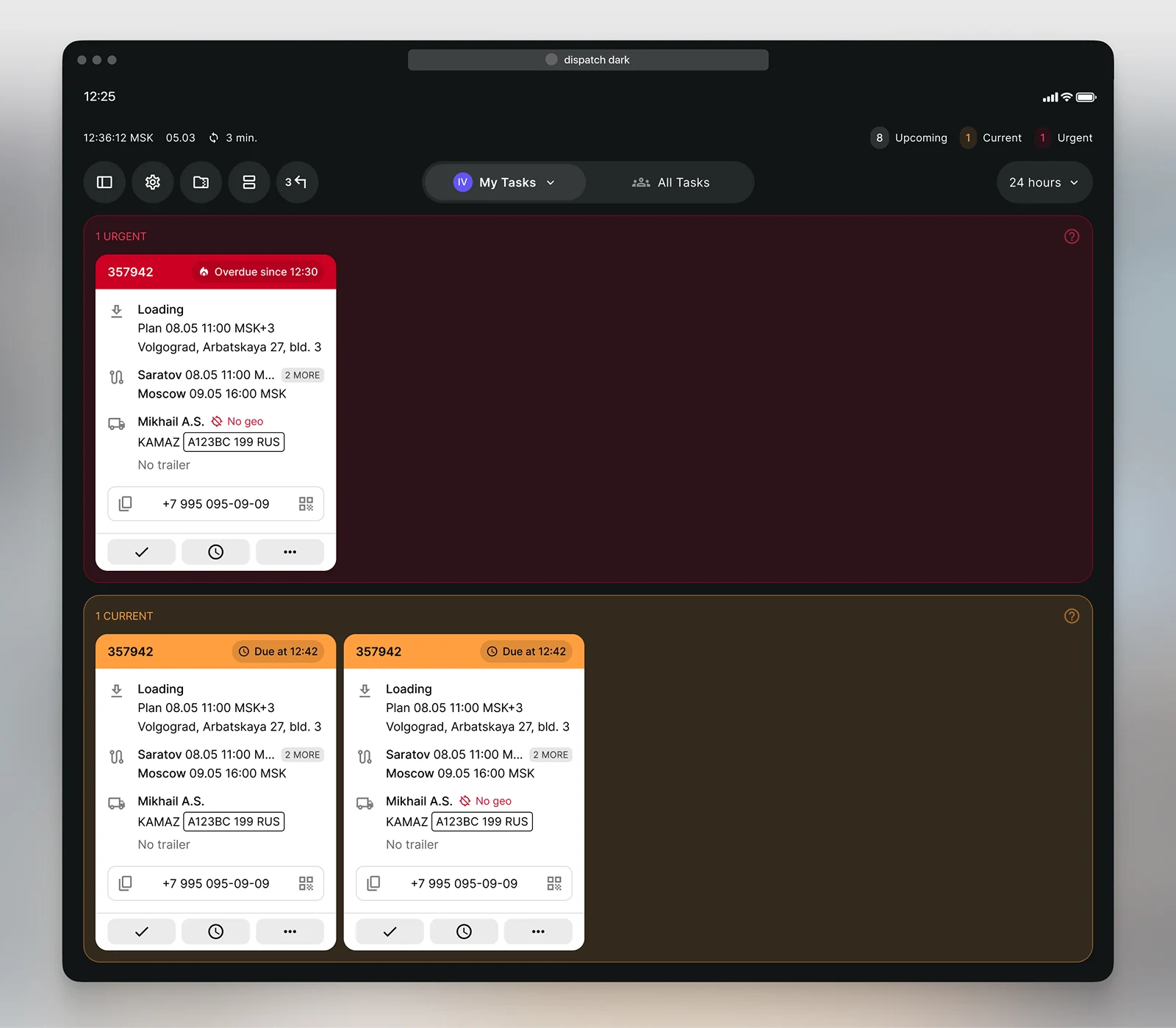
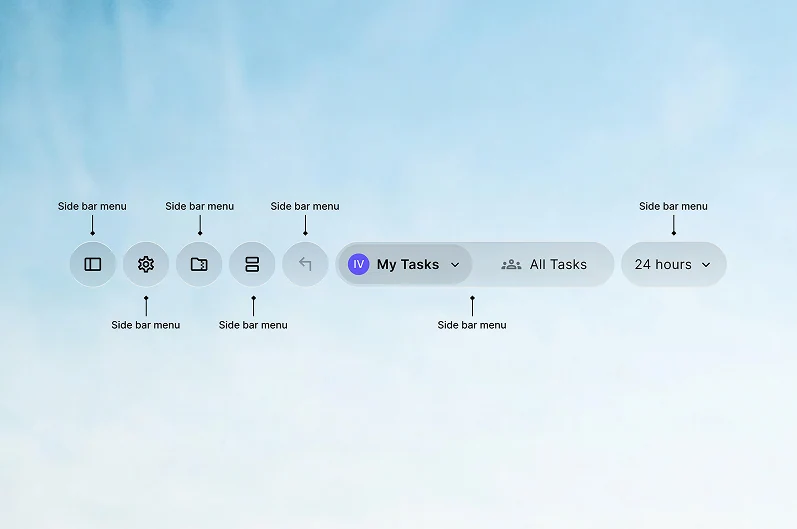
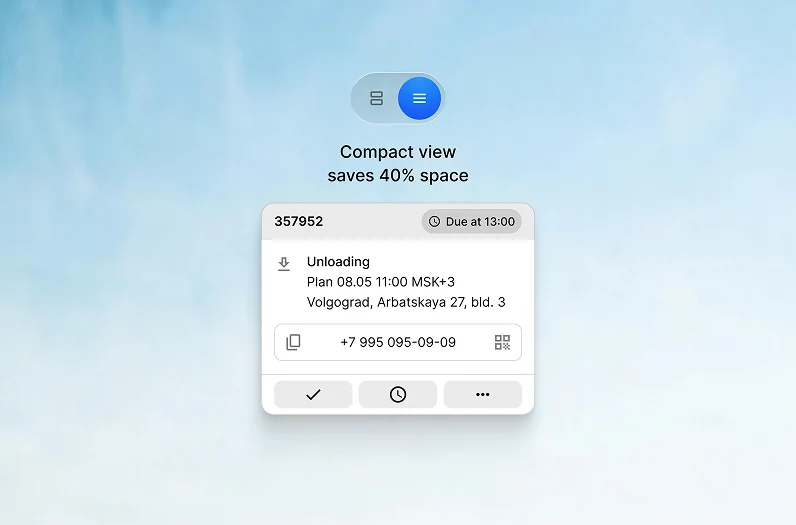
The interface needed to be easy to scan under pressure and reduce anxiety, not add to it.
Outcome
The final workspace turned dispatching from a passive tracking process into an attention-driven workflow. Instead of scanning multiple tools and remembering what matters, dispatchers could see which shipments required action now, which were current, and which could wait.
Measured against the operational baseline by comparing June 2024 with June 2025 to reduce seasonal noise, the broader TMS changes were associated with:
- +35% Shipments per dispatcher working hour
- -10% Delayed control events against plan
- -2% Failed or disputed shipments share
My contribution was the dispatcher workflow model, field research, prioritization logic, information architecture, interaction design, and prototype validation.